

Offline Messages
WuKongIM adopts a read-diffusion model. What are read-diffusion and write-diffusion? Reference article: Link After enabling the recent conversation configuration, WuKongIM maintains a recent conversation list for each user on the server side.- When an application goes from offline to online, it needs to synchronize the recent conversation list, as shown in the diagram below:
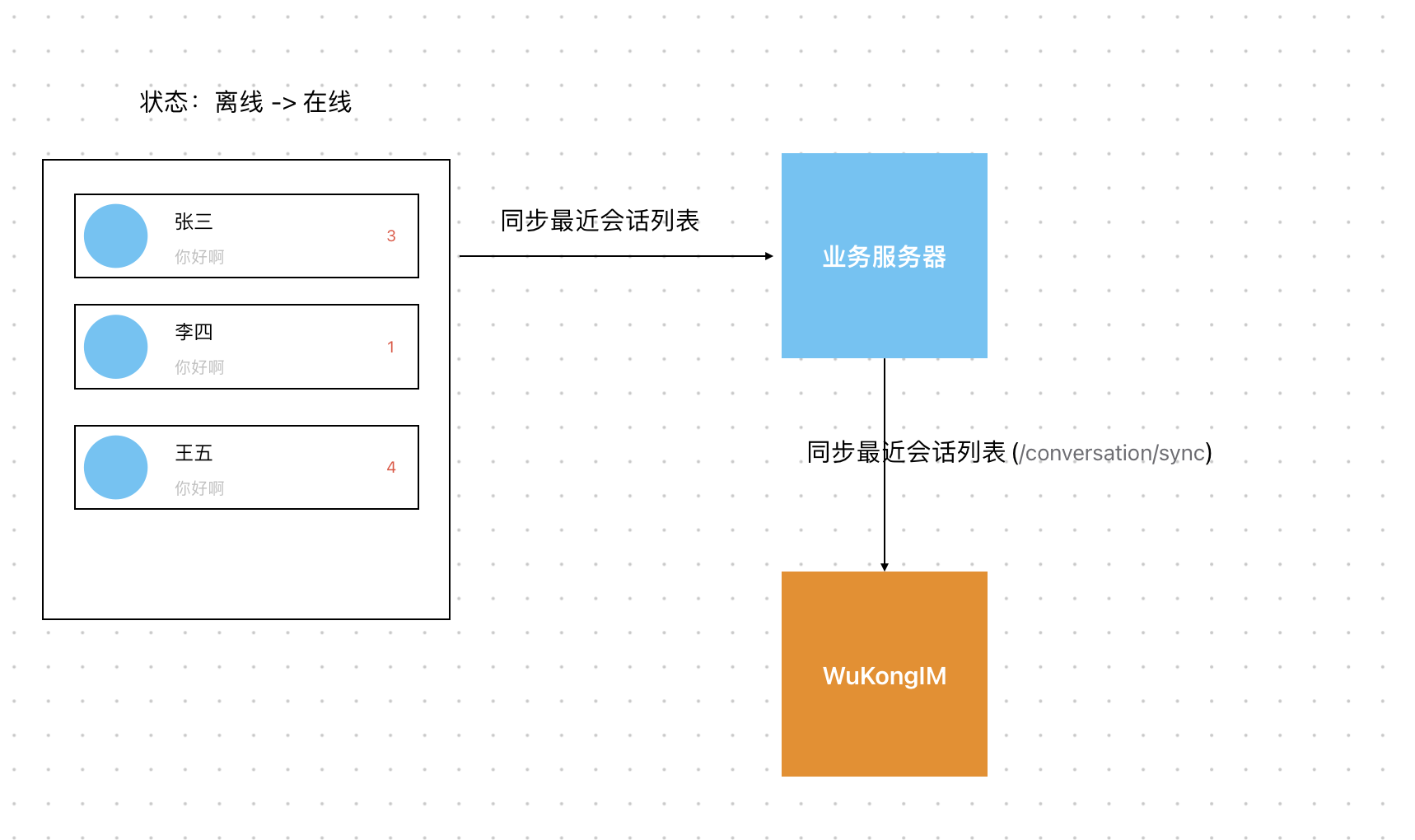
- After the application comes online, the application should maintain the recent conversation list online.
-
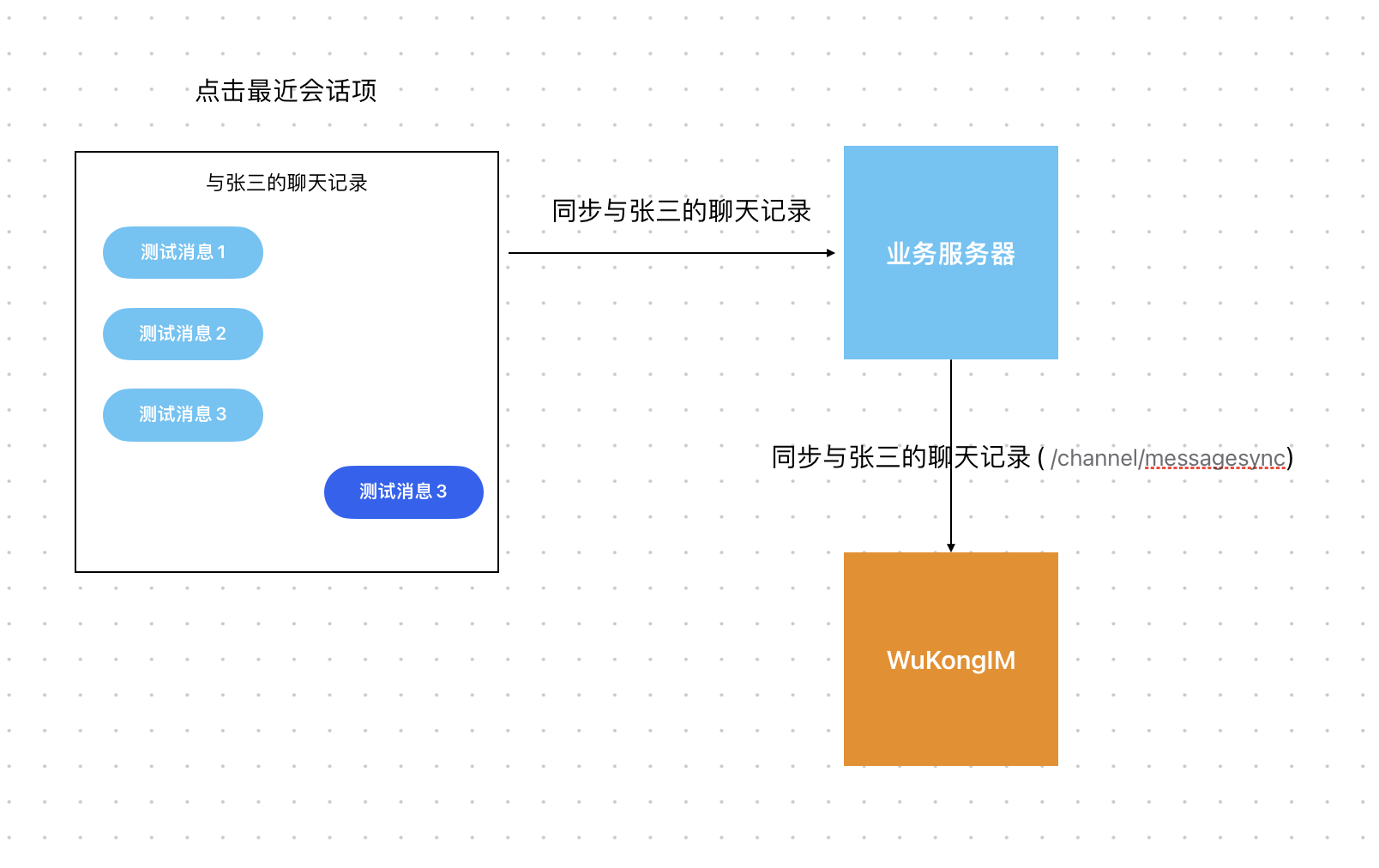
When clicking on a conversation (channel) to enter the chat interface, you need to synchronize the messages of that conversation (channel), as shown in the diagram below (at the same time, you need to clear the unread count of the recent conversation using
/conversations/setUnread):
Offline Message Processing Flow
1. Application Startup Process
When your application starts up and the user comes online, follow this process:2. Message Synchronization Process
When entering a specific conversation:Implementation Best Practices
1. Conversation List Management
Sync Recent Conversations on Startup:2. Message History Synchronization
Load Messages When Entering Chat:3. Real-time Updates
Handle Real-time Message Updates:API Integration Examples
Using WuKongIM APIs
1. Get Recent Conversations:Performance Optimization
1. Incremental Synchronization
Use version-based incremental sync to reduce data transfer:2. Pagination for Large Conversations
Implement pagination for conversations with many messages:Error Handling
Robust Sync Error Handling
Best Practices Summary
- Always sync conversations on app startup to get the latest state
- Use incremental sync with version numbers to optimize performance
- Clear unread counts when users view conversations
- Handle real-time updates properly based on current user context
- Implement proper error handling with retry mechanisms
- Use pagination for large message histories
- Cache data locally to improve user experience during network issues